

Trace Systems Blog

HIDmaker 32 Pays For Itself In 1 Day
We once got a phone call from a new HIDmaker customer. He was all excited, because he had just gotten his first USB project working only 4 hours after opening our package. We congratulated him, but then we laughed heartily and said:
"But that's OK. We forgive you. You'll get better at it!"
And it was true. Now he can do the same thing in under an hour.
Here is a direct quote from another customer:
"Hi, my name is Matt Hocking. Firstly I would like to congratulate you
on creating this great USB tool. You should be really proud of
yourself as it is indeed a high quality and well refined piece of
technology. I programmed the microchip PICDEM USB FS board to transfer
data and control I/O on my first attempt in 10 minutes, without even
reading your users guide, for VB.NET and PBP. Very impressive! I was
literally cheering!
I then read your users guide and was again impressed with how easy it was
to understand your framework." - Matt Hocking
Actually, ten minutes is about right. That's about how long it will take you, with HIDmaker, to get to a USB project that is basically working end to end, communicating YOUR OWN data. That's a very big deal !
Now let's be clear here. We are NOT claiming that HIDmaker will make you a completely finalized product that is ready for sale, and do it all in that same 10 minutes. Customizing HIDmaker's generated code, and adding the functionality that will make YOUR PRODUCT UNIQUE -- that part is your job. But the part that HIDmaker does for you -- generating CUSTOM source code for both sides, so you get to the point where your PIC device and your PC are communicating end to end -- will save you weeks, or even months, of hard work.
Maybe we could make it faster some day, but until we can figure out how to get our software to read your mind, we will still have to make you poke along for 10 whole minutes, clicking on a few things and setting up your data. Once that part is done, HIDmaker can generate your code in just a few seconds.
("Hmm. Now where did I leave the software manual for that new Telepathy library...?")
How Much Is Your TIME Worth?
New HIDmaker 32 for 32-bit, 16-bit, & 8-bit USB Processors
Turbo Charge Your Next Project !!
-- Combine the SPEED Of HIDmaker with the POWER of 32 bits!
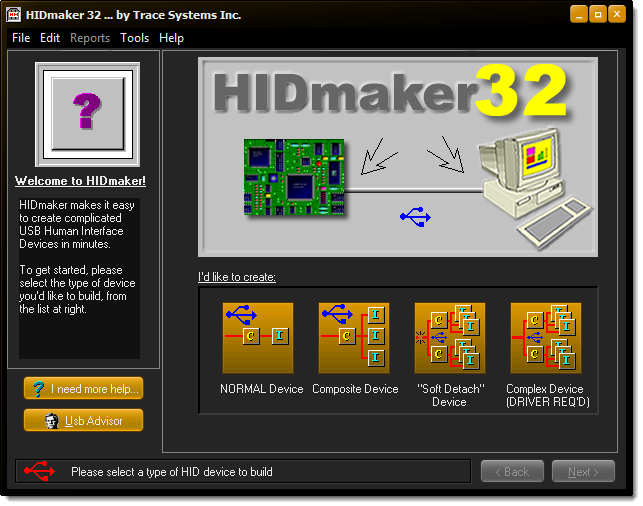
Read more: New HIDmaker 32 for 32-bit, 16-bit, & 8-bit USB Processors
New Enhanced HIDmaker FS 2 for 8-bit USB PIC Processors
Get Your USB HID project running FAST...
...in as little as 10 minutes!
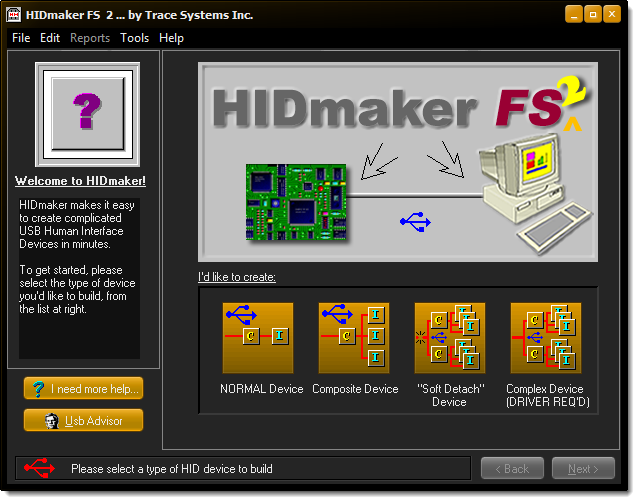
Read more: New Enhanced HIDmaker FS 2 for 8-bit USB PIC Processors
HIDagent -- What It IS, and What It DOES
In general, USB code is inherently complicated: the very fact that USB is easy for users to use, makes it hard for designers to design.
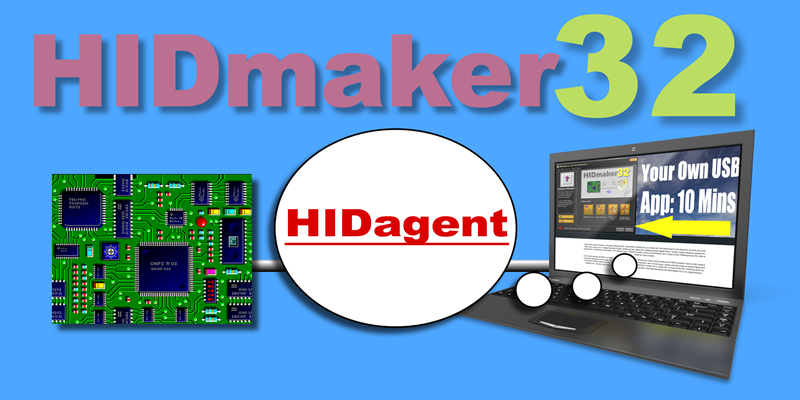
On the one hand, using USB Human Interface Device (HID) class has very significant advantages over other USB approaches:
- No device drivers ever need to be installed on the Host PC : all desktop operating systems have always had HID device drivers built in
- A HID class device is fully self-describing : it can tell the Host computer everything about the data that it needs to send to and from the device, down to the size in bits of every data item, and even what the data item is used for
But on the other hand, making use of all the extra capabilities of using HID class is very difficult for designers, unless they have a tool like HIDmaker.
- Essentially ALL approaches, other than HIDmaker, require the developer to have deep knowledge of the USB Spec, and the USB Human Interface Device (HID) class spec, AND deep knowledge of the complicated USB APIs for USB in the Operating System.
The original HIDmaker tool took 3 years to perfect. The main problem was designing a modern, object oriented HIDmaker Software Framework(c) that was simultaneously extremely powerful, yet very easy to use -- even by novice programmers -- and which could be efficiently generated, for both the Host and Peripheral device, without requiring the designer to have deep knowledge of USB or advanced programming techniques.
In other words, we had to find a way to solve, once and for all, all of the most difficult problems that a USB developer faces -- at least for developers working under Windows. More about the details in a moment.
Fred's CNC Machine
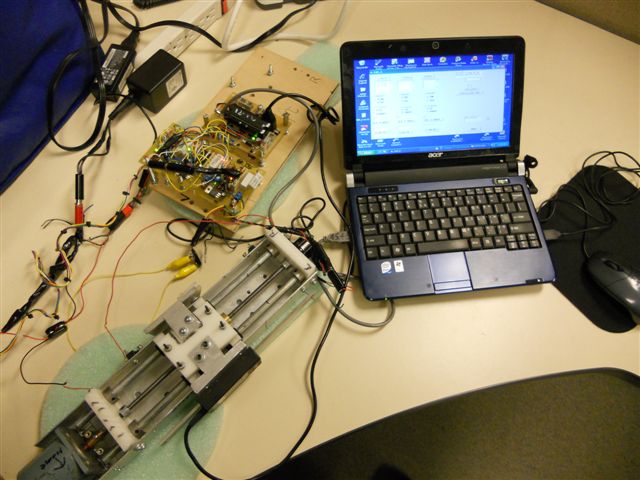
Pictures of Fred's CNC Machine
Since we posted Fred's story, I have been nagging him to provide some photos of what he has done. He finally send me this one photo, of one of his single axis devices.
More Articles ...
Subcategories
General
The "General" category where we put articles that are not related to a specific product, or that don't fit into any of our other existing categories.
This page shows summaries of the most recent blog posts in this General category of our blog. To view an entire post, either click on its title, or on the Read More... link at the end of the introductory text of each blog post.
Be sure to add your comments on these blog posts - we'd love to get your feedback. Let us know your opinions on what you read here, and please let us know what other topics you'd like to see us cover.
USB
This category of our blog contains articles and tutorials about USB devices, as well as our tools that use USB connectivity.
This page shows summaries of the most recent blog posts in this Ethernet category of our blog. To view an entire post, either click on its title, or on the Read More... link at the end of the introductory text of each blog post.
Be sure to add your comments on these blog posts - we'd love to get your feedback. Let us know your opinions on what you read here, and please let us know what other topics you'd like to see us cover.
Ethernet
This category of our blog contains articles and tutorials about embedded Ethernet devices, as well as our tools that use Ethernet connectivity.
This page shows summaries of the most recent blog posts in this Ethernet category of our blog. To view an entire post, either click on its title, or on the Read More... link at the end of the introductory text of each blog post.
Be sure to add your comments on these blog posts - we'd love to get your feedback. Let us know your opinions on what you read here, and please let us know what other topics you'd like to see us cover.