

TCPmaker also provides background elements that can be layered on top of one another, to build up attractive visual banners and decorations. This can give your pages a professional, attractive look that will impress your customers.
This slide gallery shows a few of the many surprisingly easy ways that you can make your pages more attractive by using TCPmaker 's background elements.
[video demo showing how to create attractive layouts using background elements]
Do Things You Just Can't DO With HTML and AJAX
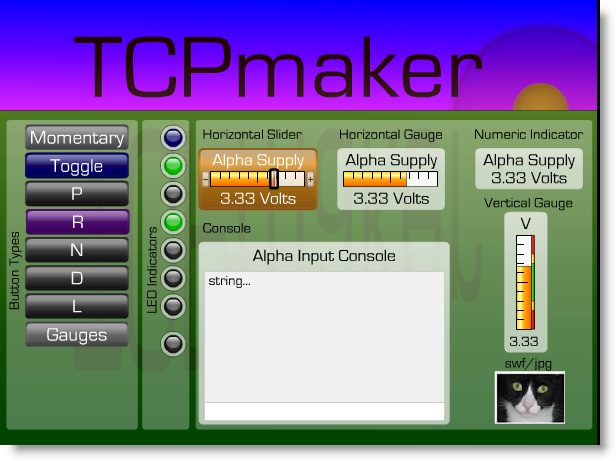
Take a look at the image below. It shows examples of some things that you can do easily in TCPmaker Pro, but which we suggest you just might have some trouble doing in HTML. Look for things like these:
- Rotated Text
- Alpha Blending (partial transparency)
- 3D Look
- Animations
- Content Size Scales with Browser Window
Use A Master Template for a Consistent Look On All Pages
The Visual Page Designer provides powerful tools for designing multi-page layouts. Chief among these is the Master Template capability, that lets you give a consistent look to all your pages. A Master Template can sets the page colors, and can add navigation buttons and other controls to all pages to which you apply the template.
This slide gallery shows a few highlights of using a Master Template:
Another powerful feature is that, even if your project uses a Master Template, you can choose not to apply it to certain pages if you want. This allows you to make some individual pages of your layout look clearly different from all the rest. This makes a great way to show an alarm condition: use TCPmaker Pro's Control Message API, that lets your PIC code command the PC browser to jump to a specific page of your multi-page layout. Add a small amount of PIC code that commands the browser to display a special alarm page, with a red background and big yellow letters, when an alarm condition occurs.
Use Background Elements to Group & Emphasize
In Visual Page Designer, you can place controls on top of TCPmaker Pro's resizable background elements. This shows your users that these controls belong together logically. You can also place Tx text controls on top of the same background element, to provide a title for the group, labels for some controls, and short explanations or hints.
[video demo on using background elements]
Use Layering and Z-Order For Special Effects
TCPmaker works like an oil painter paints: new items get added on top of previous ones. This means you would want to place a background element first, and then add controls on top of it.
But what if you don't realize that you want to use a background element until you have already placed your controls?
No problem! TCPmaker let's you adjust the Z-order of one or more controls on your page, any time you want. So, you can place the background element over your existing controls, and then use the Z-Order dialog to move it behind the controls.
You can even use this to create special effects, using layered elements.
[Video demo of using Z-Order dialog]
Save Layout, Variable Sets, and Master templates for Use In Other Projects
The Visual Page Designer lets you re-use your good ideas in other TCPmaker projects. You can save:
- just your data items
- your whole layout + data items
- master templates
to files that you can use in future projects.
Next: Generate code >>
Being able to use beautiful 3-D looking screen controls like buttons, sliders, gauges, and graphs, makes TCPmaker a joy to use.
There is no easier or faster way on the planet than TCPmaker, to make embedded web servers that look great, are highly interactive, and work in a wide variety of PIC microcontrollers. Gets your project up and running fast!
Get Instant Access Now at Our Store :