

At this point, HIDmaker FS has done its job and has given your USB Development project a solid starting point: two “known good” programs that were created at the same time, and matched to each other, and which know how to communicate with each other correctly. The USB communication part is done and working, so you can now concentrate on the things that you really set out to do in the first place: adding the real "personality" to your programs, on both the USB HID peripheral side and the PC side, that makes your project do what you want it to do.
The generated PC code is a working GUI program. It looks rather plain, because we cannot know what you will make with HIDmaker.
We recommend that you make a copy of the original source code for both sides, then proceed to modify both of these programs, one step at a time. Add one feature or section of code, preferably on one side only, and test that new code carefully. We recommend that you get that feature working correctly before you move on. If something goes wrong, you’ll always know exactly where to look for the problem. That way, you’ll always have a working program at each step of the way, and things will never get out of control.
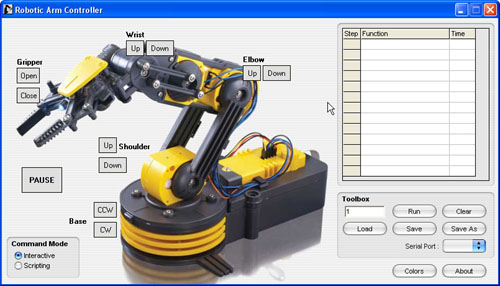
Once you've done that precautionary step, you are ready to modify and beautify your PC program, to give it the look and feel that you've always dreamed of. Depending on what hardware your HIDmaker has to control, you might add a picture of it to dress up your program like John Iovine of Images Scientific Instruments did. (You can learn more at this page in our Customer Showcase section.)
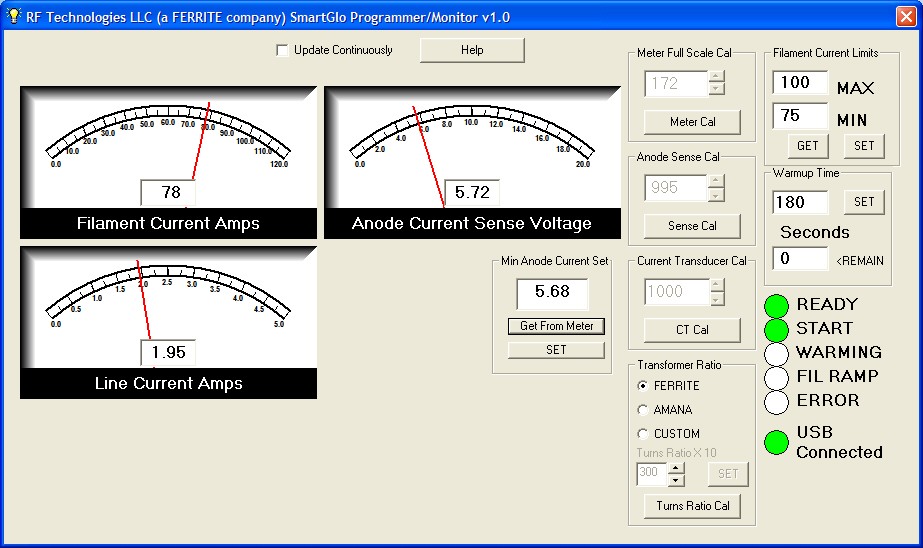
Or if you are monitoring something, you might want to add some attractive gauge controls, like David Lawson of RF Technologies LLC did. (Check out his page in our Customer Showcase section.)
By the way, we'd LOVE to show off YOUR work in our Customer Showcase section as well. If you're interested, contact Dr. Bob and let's talk!
Next: Direct Transfer of Variables >>
Quickly make CUSTOM, ready to compile and run USB HID class source code written for YOUR FAVORITE COMPILERS, MATCHED for both PC and PIC device at the same time, that sends data that YOU defined.
Now you can also get an "unfair advantage" over your competitors, with 16-bit and 32-bit USB PIC devices, as well as 8-bit USB PICs, with new HIDmaker 32. Gets your USB HID project running, and communicating YOUR custom data, in as little as 10 minutes! Pays for itself in 1 day !
NEW! 2 Versions -- See which one is right for YOU :
Learn about new HIDmaker 32 for 32-bit, 16-bit, and 8-bit USB Processors
Learn about new Enhanced HIDmakerFS 2 for 8-bit USB PIC Processors